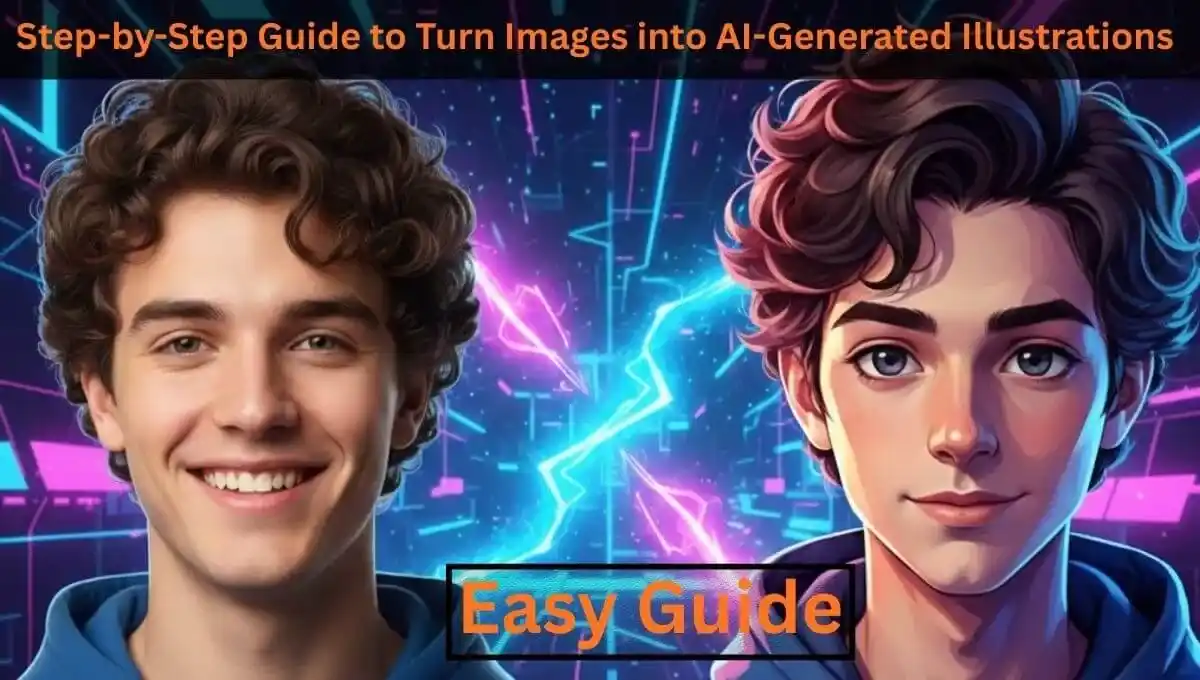
Step-by-Step Guide to Turn Images into AI-Generated Illustrations
Artificial Intelligence has completely changed the way we create digital artwork. Today, you don’t need advanced drawing skills or expensive software to turn a normal photo into a beautiful illustration. With the help of AI tools, you can convert images into cartoon art, anime portraits, digital paintings, or artistic sketches within seconds.
If you’re wondering how to turn images into AI-generated illustrations, this step-by-step guide will walk you through the complete process and show you how to use an online Image to AI Converter tool effectively.
What Are AI-Generated Illustrations?
AI-generated illustrations are images transformed using machine learning models trained on artistic styles. Instead of manually painting or sketching, the AI analyzes your uploaded image and recreates it in a selected art style.
These illustrations are commonly used for:
-
Social media profile pictures
-
Website avatars
-
YouTube thumbnails
-
Marketing creatives
-
Personalized gifts
-
Branding artwork
The quality of the final output depends mainly on the input image and the AI tool you use.
Step-by-Step: How to Turn Images into AI-Generated Illustrations
Below are the essential steps you need to follow:
Choose a High-Quality Image
-
Use a clear, high-resolution photo
-
Ensure proper lighting
-
Avoid blurry or pixelated images
-
Keep the subject clearly visible
AI tools perform better when the image is sharp and well-lit.
Use a Reliable Image to AI Converter Tool
The easiest way to create AI illustrations is by using an online tool like an Image to AI Converter. Instead of installing heavy software, you can simply visit an online converter, upload your image, and generate the illustration instantly. For example, you can use this tool: 👉 Image to AI Converter Online. This tool allows you to upload an image and convert it into an AI-compatible format or an illustration-ready version directly from your browser.
Upload Your Image
-
Click the upload button
-
Select your image file
-
Wait for the tool to process it
Some tools may automatically optimize the image before applying the AI effect.
Select the Illustration Style
Most AI tools offer multiple styles such as:
-
Cartoon
-
Anime
-
Watercolor
-
Oil painting
-
Pencil sketch
-
Fantasy art
-
3D digital render
Choose a style depending on your purpose. For example:
-
Anime for profile pictures
-
Watercolor for artistic posts
-
Digital painting for professional branding
Adjust Style Settings (If Available)
Advanced AI converters may allow you to control:
-
Style intensity
-
Detail level
-
Color saturation
-
Sharpness
-
Background enhancement
Small adjustments can dramatically improve results.
Generate the AI Illustration
-
Click “Generate” or “Create”
-
Wait a few seconds
-
Review the output
If you’re not satisfied, tweak the settings and regenerate.
Download the Final Illustration
-
Choose high-resolution output
-
Download in PNG or JPG format
-
Save both the original and the AI version
Your AI-generated illustration is now ready for use.
Why Use an Online Image to AI Converter?
Using an online Image to AI Converter provides several benefits:
-
No software installation required
-
Works on mobile and desktop
-
Fast processing
-
Beginner-friendly interface
-
Instant results
For users who want quick AI illustrations without technical complexity, online tools are the most practical solution.
Tips to Get Better AI Illustration Results
Even though AI is powerful, results depend heavily on input quality. Here are some quick tips:
-
Use images with simple backgrounds
-
Avoid extreme filters before uploading
-
Try multiple styles before finalizing
-
Use good lighting in original photos
-
Regenerate if facial features look distorted
Better input leads to better AI output.
Common Mistakes to Avoid
Many users expect AI to completely fix low-quality images. That rarely works well. Avoid:
-
Using blurry images
-
Applying maximum style strength immediately
-
Ignoring the preview before download
-
Using extremely compressed images
Always start with the best version of your photo.
Final Thoughts
Turning images into AI-generated illustrations is now easier than ever. With the right steps and a reliable Image to AI Converter, anyone can create professional-looking digital artwork in minutes. If you want a simple and fast solution, try using an online converter like the one available on PDFImageExtractor.info. Upload your image, select your style, and generate your AI illustration instantly, no advanced design skills required.