Images to DDS Converter
Convert JPG and PNG images to DDS format online for free. Fast and secure image to DDS converter for game development and 3D graphics.
YOUR AD GOES HERE
YOUR AD GOES HERE
Image to DDS Converter Online: Convert Images to DDS Format Free
In the world of game development, 3D graphics, and real-time rendering, image formats play a crucial role in performance and visual quality. While common formats like JPG and PNG are widely used for general purposes, they are not always suitable for high-performance graphics applications. This is where the DDS (DirectDraw Surface) image format becomes important.
If you are searching for an image to DDS converter online, it usually means you need a fast and reliable way to convert standard image formats into DDS for use in games, simulations, or graphics engines. An image to DDS converter online free allows you to perform this conversion directly in your browser, without installing heavy tools or dealing with complex settings.
In this detailed guide, you will learn what DDS format is, why it is used, how image to DDS conversion works, and how to use the image to DDS converter available on pdfimageextractor.info effectively.
What Is an Image to DDS Converter?
An image to DDS converter is a tool that converts common image formats such as JPG, PNG, or BMP into DDS (DirectDraw Surface) format. DDS is a raster image format developed by Microsoft, mainly used in DirectX-based applications. Unlike standard image formats, DDS supports texture compression and mipmaps, making it ideal for real-time rendering in games and 3D applications. Online image to DDS converters simplify this process by handling compression and formatting automatically.
Understanding the DDS (DirectDraw Surface) Format
DDS stands for DirectDraw Surface. It is a container format used to store textures and cubemaps for graphics APIs like DirectX.
DDS files are optimized for GPU usage and offer:
-
Fast texture loading
-
Support for mipmaps
-
Built-in texture compression
-
Efficient memory usage
Because of these features, DDS is commonly used in game engines, simulation software, and 3D modeling tools.
Why Convert Images to DDS Format?
There are several reasons why DDS format is preferred in performance-critical environments. One of the main reasons is performance optimization. DDS textures can be loaded directly by the GPU without additional processing, reducing load times. Another reason is memory efficiency. DDS supports compression formats like DXT1, DXT3, and DXT5, which significantly reduce texture size. DDS is also essential for game development, as most modern engines expect textures in DDS format.
Image to DDS Converter Online Free – Why It Matters
An image to DDS converter online free removes the technical barriers associated with DDS creation. Traditionally, converting images to DDS required specialized tools like NVIDIA Texture Tools or advanced graphics software.
Online converters make DDS conversion accessible to:
-
Game developers
-
3D artists
-
Mod creators
-
Students and hobbyists
All without software installation or steep learning curves.
How Image to DDS Conversion Works
When you upload an image to an image to DDS converter, the tool processes the raster image and prepares it for GPU-friendly storage.
The conversion process includes:
-
Reading pixel data
-
Applying texture compression
-
Generating mipmaps (if supported)
-
Encoding data into DDS format
The result is a DDS file ready for use in graphics engines or game assets.
Step-by-Step: How to Convert Image to DDS Online
Using an image to DDS converter online is straightforward.
1. First, click on the browse file button.
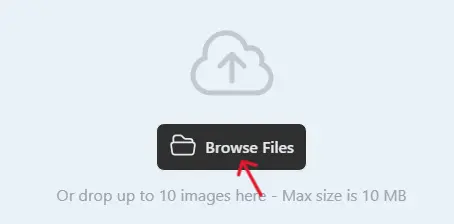
2 .Next, select one or multiple images you want to convert.
3. Click on the Convert button when the uploading process is complete.

4. Once completed, download the WebP images and use them on your website.

Best Practices for High-Quality DDS Conversion
For best results, start with high-resolution images. Low-quality images may produce artifacts after compression. Choose appropriate compression settings if available. For example, DXT1 is suitable for textures without transparency, while DXT5 works better for images with alpha channels. Always test the DDS texture inside your target engine to ensure correct appearance.
Common Use Cases for DDS Images
The DDS format is widely used in:
-
Video game development
-
Game mods and custom textures
-
3D simulations
-
Virtual reality applications
-
Graphics engines using DirectX
DDS remains a standard choice for high-performance graphics workflows.
Is Image to DDS Converter Online Safe?
A reliable image to DDS converter should:
-
Use secure HTTPS connections
-
Not store uploaded images permanently
-
Automatically delete files after conversion
-
Require no account registration
Always check the tool’s privacy policy before uploading sensitive assets.
Why Use PDFImageExtractor Image to DDS Converter?
The image to DDS converter available on pdfimageextractor.info is designed for simplicity and speed. It allows users to convert images without installing software or creating accounts. The tool supports common image formats, works across devices, and integrates with other image and PDF utilities on the platform, making it suitable for both professionals and beginners.
Common Problems in Image to DDS Conversion
Artifacts may appear due to aggressive compression. Using higher-resolution images helps reduce this issue. Transparency issues can occur if the wrong compression type is used. Ensure alpha support when needed. Testing DDS files in the target engine helps identify and fix issues early.
Who Should Use an Image to DDS Converter?
This tool is ideal for:
-
Game developers
-
3D designers
-
Graphics programmers
-
Modding communities
-
Students learning game design
Anyone working with real-time graphics can benefit from DDS conversion.
Conclusion: Convert Images to DDS Online with Confidence
An image to DDS converter online free is an essential tool for anyone involved in game development or real-time graphics. It enables efficient texture creation, improves performance, and simplifies workflows. By converting images to DDS format, you ensure GPU-ready textures optimized for speed and memory usage.
Tools like the image to DDS converter on pdfimageextractor.info make this process easy and accessible. If performance and efficiency matter in your graphics projects, converting images to DDS is the right choice.
More Converters
YOUR AD GOES HERE