Images to JPEG Converter
Convert images to JPEG format online for free. Fast and secure image to JPEG converter for smaller file size and universal compatibility.
YOUR AD GOES HERE
YOUR AD GOES HERE
Image to JPEG Converter Online: Convert Images to JPEG Format Free
Images are one of the most widely used digital assets today. From websites and blogs to documents, emails, and social media, images are everywhere. While many image formats exist, JPEG remains one of the most popular and universally supported formats. Because of this, users often search for an image to JPEG converter to ensure compatibility, reduce file size, or standardize image formats.
An image to JPEG converter online allows you to convert images from formats like PNG, BMP, WebP, or TIFF into JPEG directly from your browser. You do not need to install any software or learn advanced editing skills. Tools like the image to JPEG converter available on pdfimageextractor.info make the process quick, simple, and accessible to everyone.
In this detailed guide, you will learn what JPEG format is, why it is still widely used, how image to JPEG conversion works, and how to use an online image to JPEG converter effectively.
What Is an Image to JPEG Converter?
An image to JPEG converter is a tool that converts images from various formats into JPEG (Joint Photographic Experts Group) format. JPEG is a raster graphics format that uses lossy compression to reduce file size while maintaining acceptable visual quality. Because of its balance between quality and compression, JPEG is widely used across the web and digital platforms. Online image to JPEG converters automate this conversion process, making it easy for users to convert images without technical knowledge.
Understanding the JPEG Image Format
JPEG is one of the most commonly used image formats in the world. It was designed to efficiently compress photographic images and complex visuals.
JPEG images are known for:
-
Smaller file size
-
Wide compatibility
-
Good visual quality
-
Fast loading times
Because of these advantages, JPEG is supported by almost all browsers, devices, operating systems, and image editors.
Why Convert Images to JPEG Format?
There are several practical reasons why users convert images to JPEG. One major reason is compatibility. JPEG works seamlessly across websites, emails, documents, and applications. Another reason is file size reduction. Compared to formats like PNG or BMP, JPEG files are much smaller, making them ideal for sharing and web usage. JPEG is also preferred for photographs, blog images, and social media uploads, where fast loading is important.
Image to JPEG Converter Online – Why It Is Useful
An image to JPEG converter online removes the need for complex image editing software. Traditionally, converting images required desktop tools like Photoshop. Online converters simplify this process by allowing users to upload images and download JPEG files instantly.
This is especially useful for:
-
Bloggers
-
Students
-
Office users
-
Website owners
-
Content creators
All conversions can be done directly in the browser.
How Image to JPEG Conversion Works
When you upload an image to an image to JPEG converter, the tool reads the original image data and re-encodes it using JPEG compression. During conversion, the tool balances compression and quality to produce a JPEG image that looks good while keeping file size small. Once processed, the image is saved in JPEG format and made available for download.
Step-by-Step: How to Convert Image to JPEG Online
Using an image to JPEG converter online is very simple.
1. First, click on browse file button.
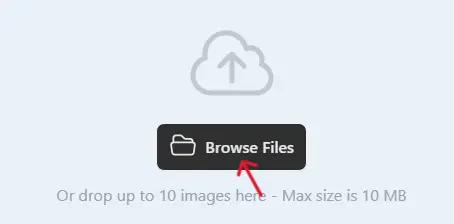
2 .Next, select one or multiple images you want to convert.
3. Click on the Convert button when the uploading process is complete.

4. Once completed, download the WebP images and use them on your website.

Best Practices for High-Quality JPEG Conversion
To maintain good image quality, always start with a high-resolution source image. Avoid repeatedly converting the same image multiple times, as JPEG uses lossy compression. If transparency is important, note that JPEG does not support transparent backgrounds. In such cases, PNG may be a better choice. Preview the converted JPEG image before final use.
Common Use Cases for JPEG Images
JPEG format is commonly used for:
-
Website images
-
Blog posts
-
Social media photos
-
Email attachments
-
Digital documents
Because of its universal support, JPEG remains the default choice for many users.
Is Image to JPEG Converter Online Safe?
A reliable image to JPEG converter should:
-
Use HTTPS encryption
-
Not store uploaded images permanently
-
Automatically delete files after conversion
-
Not require account registration
Always review the privacy policy before uploading sensitive images.
Why Use PDFImageExtractor Image to JPEG Converter?
The image to JPEG converter available on pdfimageextractor.info is designed for speed, simplicity, and reliability. It allows users to convert images without installing software or creating accounts. The tool works on all devices and integrates smoothly with other image and PDF utilities on the platform. This makes it suitable for beginners as well as advanced users.
Common Issues in Image to JPEG Conversion
Loss of transparency is a common issue because JPEG does not support alpha channels. Minor quality loss may occur due to compression, especially if the source image is already compressed. Using high-quality source images helps minimize these issues.
Who Should Use an Image to JPEG Converter?
An image to JPEG converter is useful for:
-
Bloggers
-
Students
-
Designers
-
Office professionals
-
Website owners
Anyone who needs widely compatible and lightweight images can benefit from JPEG conversion.
Conclusion: Convert Images to JPEG Online with Ease
An image to JPEG converter online is an essential tool for converting images into a universally supported and efficient format. JPEG offers an excellent balance between quality and file size, making it ideal for everyday use. By using an online image to JPEG converter, you can standardize image formats, reduce file size, and ensure compatibility across platforms.
Tools like the one available on pdfimageextractor.info make JPEG conversion fast, simple, and accessible to everyone. If you need reliable image conversion for daily tasks, converting images to JPEG is the right choice.
More Converters
YOUR AD GOES HERE