Images to HEIF Converter
Convert JPG and PNG images to HEIF format online for free. Fast and secure image to HEIF converter for smaller file size and high image quality.
YOUR AD GOES HERE
YOUR AD GOES HERE
Image to HEIF Converter Online: Convert Images to HEIF Format Free
As image quality continues to improve across smartphones, cameras, and digital platforms, file size and storage efficiency have become critical concerns. Traditional image formats like JPG and PNG have served the web well for many years, but they are no longer the most efficient options. This is where HEIF (High Efficiency Image File Format) comes in.
If you are searching for an image to HEIF converter, it usually means you want to reduce image file size without sacrificing visual quality. An image to HEIF converter online allows you to convert standard images into HEIF format directly from your browser, without installing any software or dealing with technical complexity.
In this comprehensive guide, you will learn what HEIF format is, why it is useful, how image to HEIF conversion works, and how to use the image to HEIF converter available on pdfimageextractor.info efficiently.
What Is an Image to HEIF Converter?
An image to HEIF converter is a tool that converts common image formats such as JPG, PNG, or BMP into HEIF format. HEIF is designed to store high-quality images at much smaller file sizes compared to older formats. It uses advanced compression techniques that preserve details while reducing storage requirements. Online HEIF converters automate this process, making it easy for users to adopt modern image formats without advanced tools.
Understanding the HEIF (High Efficiency Image File Format)
HEIF stands for High Efficiency Image File Format. It is a container format developed by the MPEG group and standardized as part of the HEVC (H.265) ecosystem.
HEIF images offer:
-
Smaller file sizes
-
High image quality
-
Support for transparency
-
Better color depth
-
Efficient storage
Because of these advantages, HEIF is increasingly used in modern operating systems and devices.
HEIF vs HEIC: What’s the Difference?
HEIF is the container format, while HEIC is a specific implementation of HEIF commonly used by Apple devices.
In simple terms:
-
HEIF refers to the format standard
-
HEIC is the file extension used by Apple
Both offer similar benefits in terms of compression and quality.
Why Convert Images to HEIF Format?
Converting images to HEIF offers several important benefits. One of the biggest advantages is storage efficiency. HEIF images can be significantly smaller than JPG images while maintaining comparable or better quality. Another benefit is performance. Smaller files load faster and consume less bandwidth, which is important for mobile users and cloud storage. HEIF is also future-ready, making it a good choice for modern image workflows.
Image to HEIF Converter Online – Why It Is Useful
An image to HEIF converter online makes it easy to adopt HEIF format without specialized software. Earlier, converting images to HEIF required command-line tools or advanced image editors. Online converters simplify this process and make it accessible to everyone.
This is especially helpful for:
-
Mobile users
-
Photographers
-
Content creators
-
Developers
-
Students and beginners
How Image to HEIF Conversion Works
When you upload an image to an image to HEIF converter, the tool analyzes the image data and applies advanced compression algorithms. The converter optimizes colors and removes unnecessary information while preserving image quality. The processed image is then saved in HEIF format. The result is a smaller image file with excellent visual quality.
Step-by-Step: How to Convert Image to HEIF Online
Using an image to HEIF converter online is straightforward.
1. First, click on browse file button.
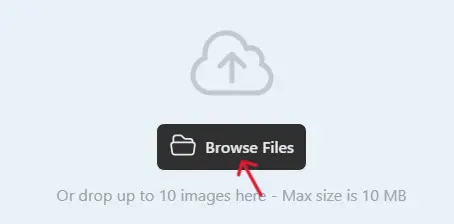
2 .Next, select one or multiple images you want to convert.
3. Click on the Convert button when the uploading process is complete.

4. Once completed, download the WebP images and use them on your website.

Best Practices for High-Quality HEIF Conversion
To get the best results, use high-quality source images. Avoid converting images that are already heavily compressed. Test HEIF images across devices to ensure compatibility. Always preview the converted image to verify color accuracy and clarity.
Is Image to HEIF Converter Online Safe?
A reliable image to HEIF converter should:
-
Use HTTPS encryption
-
Not store uploaded images permanently
-
Automatically delete files after conversion
-
Not require account registration
Always check the privacy policy before uploading sensitive images.
Why Use PDFImageExtractor Image to HEIF Converter?
The image to HEIF converter available on pdfimageextractor.info is designed to be fast, simple, and accessible. It allows users to convert images without installing software or creating accounts. The tool works across devices and integrates with other image and PDF utilities on the platform. This makes it suitable for both beginners and advanced users.
Common Issues in Image to HEIF Conversion
Some older systems and applications may not support HEIF format natively. In such cases, users can convert HEIF images back to JPG or PNG when needed. As HEIF adoption grows, compatibility issues are becoming less common.
Who Should Use an Image to HEIF Converter?
An image to HEIF converter is useful for:
-
Smartphone users
-
Photographers
-
Bloggers and content creators
-
Developers
-
Anyone looking to reduce image file size
If storage efficiency and quality matter, HEIF is an excellent choice.
Conclusion: Convert Images to HEIF Online with Confidence
An image to HEIF converter online is a smart solution for converting images into a modern, storage-efficient format. It helps reduce file size while maintaining high image quality. By using an image to HEIF converter, you can optimize images for modern devices and workflows without complex software.
Tools like the one available on pdfimageextractor.info make HEIF conversion fast, easy, and accessible. If you want efficient image storage with excellent quality, converting images to HEIF is the right choice.
More Converters
YOUR AD GOES HERE