Images to ICO Converter
Convert JPG and PNG images to ICO format online for free. Fast and secure image to ICO converter for favicons, apps, and Windows icons.
YOUR AD GOES HERE
YOUR AD GOES HERE
Image to ICO Converter Online: Convert Images to ICO Format Free
Icons are a small but extremely important part of digital design. From website favicons and desktop shortcuts to software applications and system files, icons help users instantly recognize apps and brands. While common image formats like JPG and PNG are widely used, they are not suitable for icons. This is where the ICO (Icon) file format becomes essential.
If you are searching for an image to ICO converter, it usually means you want to convert a normal image into an icon file that can be used on Windows systems, websites, or software applications. An image to ICO converter online allows you to create ICO files directly in your browser, without installing design software or complex tools.
In this detailed guide, you will learn what ICO format is, why it is important, how image to ICO conversion works, and how to use the image to ICO converter available on pdfimageextractor.info effectively.
What Is an Image to ICO Converter?
An image to ICO converter is a tool that converts standard image formats such as JPG, PNG, or BMP into ICO (Icon) format. ICO files are specially designed to store icons in multiple sizes and resolutions within a single file. This allows the operating system or application to display the most suitable icon size depending on where it is used. Online image to ICO converters automate this process and make icon creation easy even for beginners.
Understanding the ICO (Icon) File Format
ICO is a file format developed by Microsoft and primarily used by Windows operating systems.
ICO files are unique because they can contain:
-
Multiple icon sizes (16×16, 32×32, 48×48, 256×256)
-
Multiple color depths
-
Transparency support
Because of these features, ICO files are ideal for application icons, desktop shortcuts, and website favicons.
Why Convert Images to ICO Format?
There are several reasons why converting images to ICO is necessary. One of the main reasons is compatibility. Windows applications and shortcuts require ICO files to display icons correctly. Another reason is multi-size support. A single ICO file can store multiple icon sizes, ensuring sharp display across different screen resolutions. ICO format is also required for website favicons in certain scenarios, especially for older browsers and Windows-based systems.
Image to ICO Converter Online – Why It Is Useful
An image to ICO converter online eliminates the need for graphic design software like Photoshop or Illustrator. Earlier, creating ICO files required manual resizing and exporting. Online converters simplify this process by automatically generating icon sizes and handling transparency.
This makes image to ICO conversion accessible to:
-
Website owners
-
Software developers
-
App creators
-
Students
-
Small businesses
How Image to ICO Conversion Works
When you upload an image to an image to ICO converter, the tool analyzes the image and prepares it for icon creation. The image is resized into multiple standard icon dimensions. Transparency is preserved if supported by the source image. All icon sizes are then packaged into a single ICO file, ready for use.
Step-by-Step: How to Convert Image to ICO Online
Using an image to ICO converter online is simple and beginner-friendly.
1. First, click on browse file button.
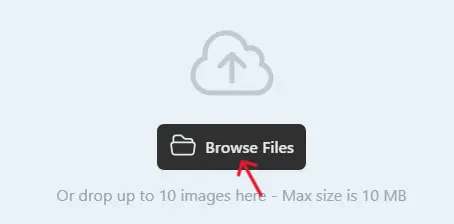
2 .Next, select one or multiple images you want to convert.
3. Click on the Convert button when the uploading process is complete.

4. Once completed, download the WebP images and use them on your website.

Best Practices for High-Quality ICO Conversion
For best results, use square images. Icons are usually displayed in square dimensions. Prefer PNG images with transparent backgrounds, as they convert better into ICO format. Avoid very detailed images, as small icon sizes may lose clarity. Always preview the icon at different sizes to ensure readability.
Common Use Cases for ICO Files
ICO format is widely used for:
-
Website favicons
-
Windows application icons
-
Desktop shortcuts
-
Software installers
-
System UI elements
Because of its versatility, ICO remains a standard format for icons.
Is Image to ICO Converter Online Safe?
A reliable image to ICO converter should:
-
Use HTTPS encryption
-
Not store uploaded images permanently
-
Automatically delete files after conversion
-
Not require account registration
Always review the privacy policy before uploading sensitive images.
Why Use PDFImageExtractor Image to ICO Converter?
The image to ICO converter available on pdfimageextractor.info is designed to be fast, simple, and user-friendly. It allows users to convert images into ICO format without installing software or creating accounts. The tool works across devices and integrates with other image and PDF utilities on the platform. This makes it suitable for both beginners and professionals.
Common Issues in Image to ICO Conversion
Icons may appear blurry if the source image is low resolution. Using high-quality images solves this issue. Incorrect aspect ratios can distort icons. Always use square images for best results. Previewing icons after conversion helps ensure proper display.
Who Should Use an Image to ICO Converter?
An image to ICO converter is useful for:
-
Website owners
-
Software developers
-
App designers
-
Students
-
Small businesses
Anyone who needs professional-looking icons can benefit from ICO conversion.
Conclusion: Create Icons Easily with Image to ICO Converter
An image to ICO converter online is an essential tool for creating icons for websites, applications, and Windows systems. It simplifies icon creation and ensures compatibility across platforms. By using an online image to ICO converter, you save time, avoid complex software, and generate professional icon files effortlessly.
Tools like the one available on pdfimageextractor.info make this process fast, easy, and accessible. If you need reliable and high-quality icons, converting images to ICO is the right solution.
More Converters
YOUR AD GOES HERE