Images to EPS Converter
Convert images to EPS format online for free. Fast and secure image to EPS converter for scalable vector graphics and print-ready files.
YOUR AD GOES HERE
YOUR AD GOES HERE
Image to EPS Converter Online: Convert Images to EPS Format Free
When working with professional printing, vector graphics, and large-scale designs, image quality and scalability are extremely important. Raster image formats like JPG and PNG work well for everyday use, but they are not ideal for printing or resizing without losing quality. This is where EPS (Encapsulated PostScript) format becomes essential.
An image to EPS converter online allows you to convert standard image files into EPS format quickly and easily. With a reliable image to EPS converter, designers, printers, and businesses can prepare images that remain sharp at any size and are fully compatible with professional design software.
What Is EPS File Format?
EPS stands for Encapsulated PostScript. It is a vector-based file format widely used in graphic design, publishing, and printing industries.
EPS files are popular because they:
-
Can be scaled infinitely without quality loss
-
Are compatible with professional tools like Adobe Illustrator and CorelDRAW
-
Are suitable for logos, illustrations, and print materials
Because of these advantages, EPS is often preferred for professional design workflows.
What Is an Image to EPS Converter?
An image to EPS converter is a tool that converts raster images such as JPG, PNG, or BMP into EPS format. Many users search for image to EPS tools when they want to turn a normal image into a vector-friendly format. While raster images are pixel-based, EPS uses paths and shapes, making it suitable for high-resolution printing and design editing. Online converters automate this process and eliminate the need for manual tracing or expensive software.
Why Convert Images to EPS Format?
There are several practical reasons why users convert images to EPS. One major reason is scalability. EPS files can be resized for banners, posters, or business cards without becoming blurry. Another reason is print compatibility. EPS is widely accepted by printing companies and publishing platforms. The EPS format is also useful for branding, especially for logos that need to be used across multiple mediums.
Image to EPS Converter Online – Why It Is Useful
An image to EPS converter online makes professional file conversion accessible to everyone. Instead of installing heavy design software, users can convert images directly in their browser. This is especially helpful for:
-
Graphic designers
-
Printing professionals
-
Small business owners
-
Students and learners
Online tools save time and reduce technical complexity.
How Image to EPS Conversion Works
When you upload an image to an image to EPS converter, the tool analyzes the image and converts pixel data into vector paths. Simple images like logos and icons convert more accurately, while detailed photographs may produce complex paths. The resulting EPS file can be edited further in vector editing software if needed.
Step-by-Step: How to Convert Image to EPS Online
Using an image to EPS converter online is simple.
1. First, click on the browse file button.
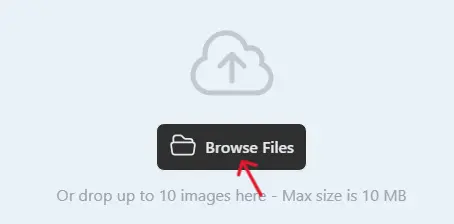
2 .Next, select one or multiple images you want to convert.
3. Click on the Convert button when the uploading process is complete.

4. Once completed, download the WebP images and use them on your website.

This process works quickly and requires no technical skills.
Best Practices for High-Quality EPS Conversion
For best results, use high-contrast images or simple graphics. Logos, icons, and line art convert better than complex photographs. After conversion, open the EPS file in a vector editor to review and fine-tune paths if necessary.
Common Use Cases for EPS Files
The EPS format is widely used for:
-
Logo design
-
Business cards and brochures
-
Large banners and posters
-
Publishing and print media
-
Vector illustrations
Because of its flexibility, EPS remains a standard in professional design.
Is Image to EPS Converter Online Safe?
A trustworthy image to EPS converter online should:
-
Use HTTPS encryption
-
Not store uploaded files permanently
-
Automatically delete files after conversion
Always review the privacy policy before uploading sensitive designs.
Why Use PDFImageExtractor Image to EPS Converter?
The image to EPS converter available on pdfimageextractor.info is designed for speed, simplicity, and reliability. It allows users to convert images without installing software, works on all devices, and integrates smoothly with other image and PDF tools on the platform. This makes it suitable for both beginners and professionals.
Who Should Use an Image to EPS Converter?
This tool is ideal for:
-
Graphic designers
-
Print professionals
-
Branding agencies
-
Students learning vector graphics
-
Small businesses
Anyone who needs scalable, print-ready graphics can benefit from EPS conversion.
Conclusion: Convert Images to EPS Online with Ease
An image to EPS converter online is a powerful solution for converting raster images into professional, scalable vector files. EPS format ensures high quality, flexibility, and compatibility with industry-standard tools.
With the image to EPS converter available on pdfimageextractor.info, you can convert images quickly, prepare files for print, and maintain professional design standards without complexity.
More Converters
YOUR AD GOES HERE