Images to HDR Converter
Convert images to HDR format online for free. Fast and secure image to HDR converter to enhance brightness, contrast, and color depth instantly.
YOUR AD GOES HERE
YOUR AD GOES HERE
Image to HDR Converter Online: Convert Images to HDR Format Free
Modern digital photography and visual content creation have evolved rapidly in recent years. Today, users expect images that look realistic, vibrant, and rich in detail. Standard images often fail to capture the full range of light and colors that the human eye can see. This is where HDR (High Dynamic Range) images come into play.
If you are searching for an image to HDR converter, it usually means you want to enhance your photos by improving brightness, contrast, and color depth. An image to HDR converter online allows you to convert normal images into HDR-style images directly from your browser, without installing complex photo-editing software.
In this detailed guide, you will learn what HDR images are, why HDR matters, how image to HDR conversion works, and how to use the image to HDR converter available on pdfimageextractor.info effectively.
What Is an Image to HDR Converter?
An image to HDR converter is a tool that converts standard images into HDR (High Dynamic Range) images. HDR images contain a wider range of brightness and color information compared to normal images. Standard images often lose details in very bright or very dark areas. HDR conversion helps recover these details, resulting in images that look more natural and visually balanced. Online image to HDR converters use automated processing to enhance highlights, shadows, and mid-tones without requiring manual editing skills.
Understanding HDR (High Dynamic Range) Images
HDR stands for High Dynamic Range. It refers to images that capture a broader range of light intensities, from the darkest shadows to the brightest highlights.
HDR images are known for:
-
Better brightness balance
-
Improved shadow and highlight detail
-
Richer colors
-
More realistic appearance
HDR is widely used in photography, videography, gaming, and modern displays.
Why Convert Images to HDR Format?
There are several reasons why HDR conversion is becoming increasingly popular. One major reason is image quality enhancement. HDR images look more detailed and visually appealing compared to standard images. Another reason is display compatibility. Many modern devices, including smartphones, TVs, and monitors, support HDR content. HDR images are also useful for professional photography, real estate images, landscape photos, and digital art, where visual depth matters.
Image to HDR Converter Online – Why It Is Useful
An image to HDR converter online removes the need for advanced photo-editing software like Photoshop or Lightroom. Traditionally, creating HDR images required multiple exposure shots and manual blending. Online HDR converters simplify this process by applying intelligent tone mapping to a single image.
This makes HDR conversion accessible to:
-
Photographers
-
Content creators
-
Social media users
-
Students
-
Casual users
All without technical complexity.
How Image to HDR Conversion Works
When you upload an image to an image to HDR converter, the tool analyzes the image’s brightness and color distribution. The system enhances dynamic range by adjusting highlights, shadows, and contrast. Tone mapping algorithms are applied to balance light areas without losing detail. The final result is an HDR-enhanced image that looks more vivid and realistic than the original.
Step-by-Step: How to Convert Image to HDR Online
Using an image to HDR converter online is simple.
1. First, click on browse file button.
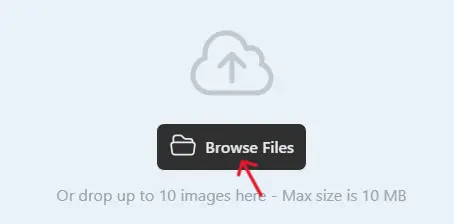
2 .Next, select one or multiple images you want to convert.
3. Click on the Convert button when the uploading process is complete.

4. Once completed, download the WebP images and use them on your website.

Best Practices for High-Quality HDR Conversion
For best results, use images with both bright and dark areas. Flat or low-contrast images may not benefit much from HDR conversion. Avoid overprocessing. Extremely high HDR effects can make images look unnatural. Always preview the output image to ensure the colors and contrast look balanced.
Image to HDR vs Normal Image Enhancement
Normal image enhancement focuses on basic adjustments like brightness and contrast. HDR conversion focuses on expanding dynamic range and preserving details in extreme lighting conditions. HDR images generally look more realistic and detailed compared to normally edited images.
Common Use Cases for Image to HDR Conversion
Image to HDR converters are widely used for:
-
Landscape photography
-
Real estate images
-
Travel photos
-
Product photography
-
Digital art and illustrations
-
Social media visuals
HDR images often perform better in terms of visual impact and engagement.
Is Image to HDR Converter Online Safe?
A reliable image to HDR converter should:
-
Use HTTPS encryption
-
Not store uploaded images permanently
-
Automatically delete files after processing
-
Not require account registration
Always check the privacy policy before uploading sensitive photos.
Why Use PDFImageExtractor Image to HDR Converter?
The image to HDR converter available on pdfimageextractor.info is designed to be fast, simple, and accessible. It allows users to enhance images without installing software or creating accounts. The tool works across devices and integrates smoothly with other image and PDF utilities on the platform. This makes it suitable for beginners as well as advanced users who need quick HDR enhancement.
Common Issues in Image to HDR Conversion
Over-saturation and unnatural contrast are common issues when HDR is applied too aggressively. Using good-quality source images and avoiding excessive enhancement helps prevent these problems. Previewing the final image before use is always recommended.
Who Should Use an Image to HDR Converter?
An image to HDR converter is useful for:
-
Photographers
-
Content creators
-
Social media managers
-
Designers
-
Students
-
Anyone who wants better-looking photos
If you want more vibrant and detailed images without complex editing, HDR conversion is a great option.
Conclusion: Enhance Your Images with Image to HDR Converter
An image to HDR converter online is a powerful tool for improving image quality and visual appeal. It allows you to convert standard images into HDR-style images that look more realistic and engaging. By using an image to HDR converter, you can enhance brightness, contrast, and color depth without professional editing software.
Tools like the one available on pdfimageextractor.info make HDR conversion fast, easy, and accessible to everyone. If you want your images to stand out with richer details and better lighting, converting images to HDR is the right choice.
More Converters
YOUR AD GOES HERE